Quick Navigation
- How The Problem Started – The ACE framework, Day Clusters, and why they work
- When Multiple Tools Changed Everything – Swift app, Python scripts, Neo4j, Claude AI
- What I Built Instead – 223 terms with definitions and persistent URIs
- The Part I Didn't Expect — How publishing revealed an uncontrolled publishing setup
- The Rule — Every fact has exactly one canonical home
- Why Copies Are Okay — Caches you can regenerate
- What Went Wrong — Typos, name collisions, and bad RDF mappings
- Still Open — Three questions I genuinely want feedback on
How The Problem Started
The Ideaverse vault in Obsidian contains linked Markdown notes for my PKM system and Knowledge System Architecture (KSA). However, it got big enough that I have a naming problem, and I don't think I'm the only one.
I use the ACE organization framework recommended by Nick Milo and Linking Your Thinking (LYT) that places notes into primary folder spaces based for knowledge, time, and action:
- Atlas: what I know — concepts, topics, apps
- Calendar: what happened when — plan, log, journal, review, memory, context
- Efforts: what and how to do — projects, to-do's, skills, procedures, outputs
Additional folders provide infrastructure before, during, and after work with notes in the ACE folders:
- (Add): what's new (inputs), notes, sparks, ideas
- x (Extras): support resources, templates, scripts
- z (Archive): old folders and inactive files
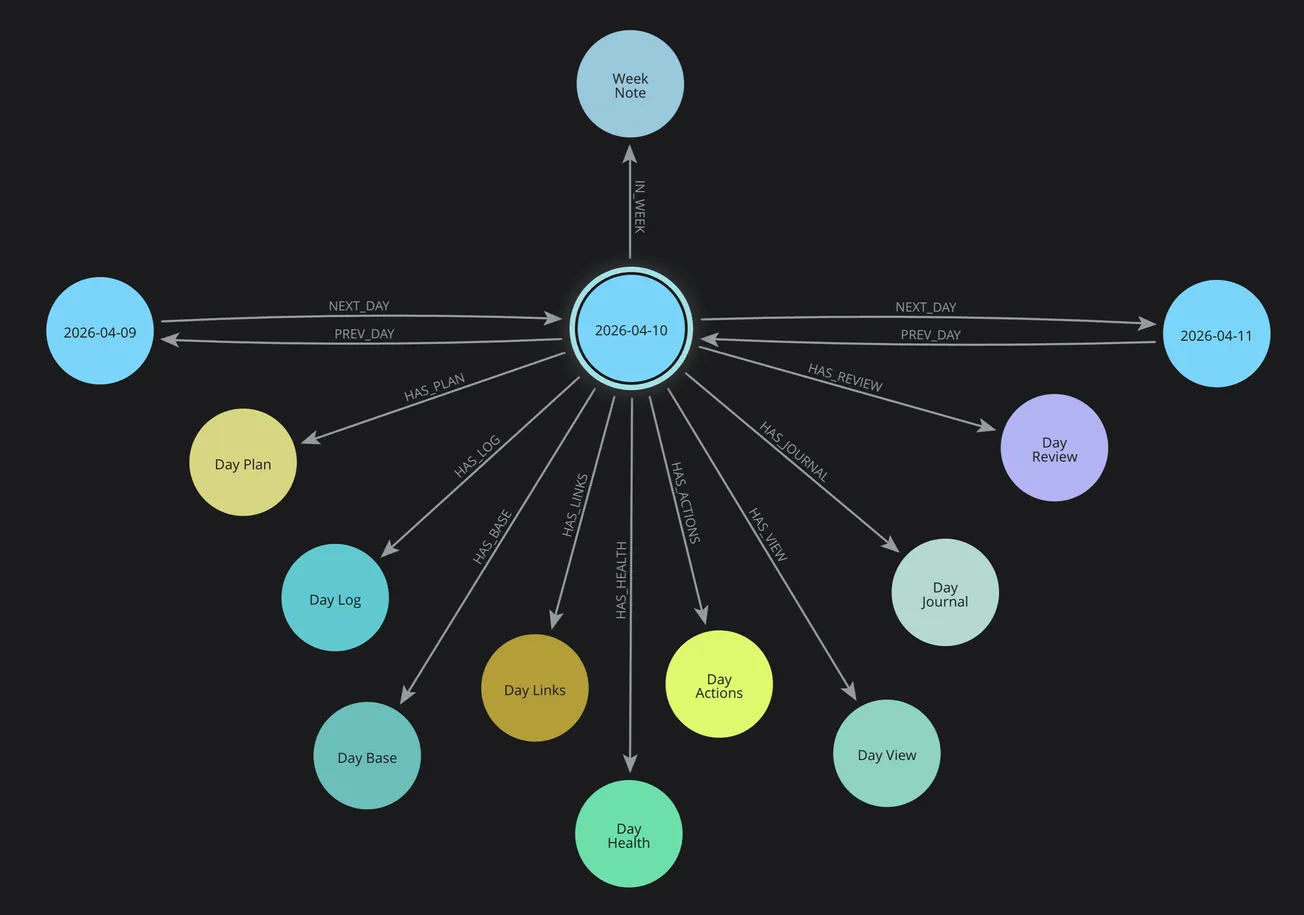
In the Calendar space with periodic notes for different time horizons, rather than a single note like a daily note, I built out a Day Cluster — index (hub), plan, log, journal, review, and health notes belonging to a single day — and the same shape for weeks, months, quarters, and years.
When Multiple Tools Changed Everything
That structure works well for me. The trouble started when the Obsidian notes in my vault stopped being the only thing touching it.
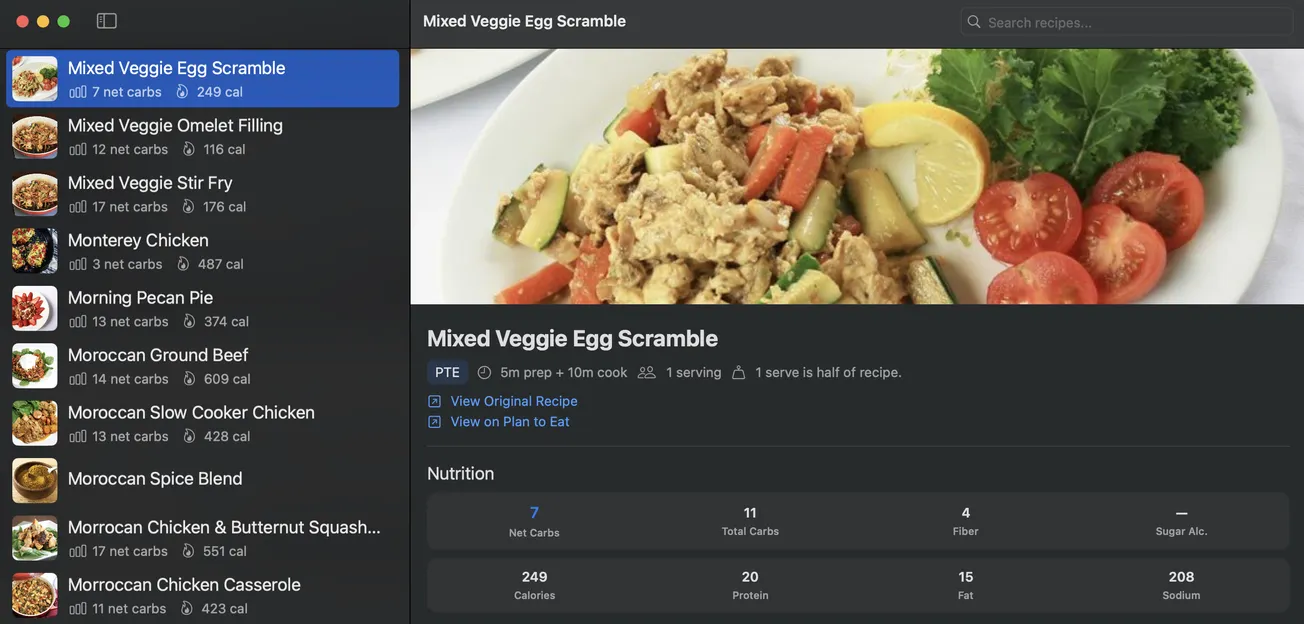
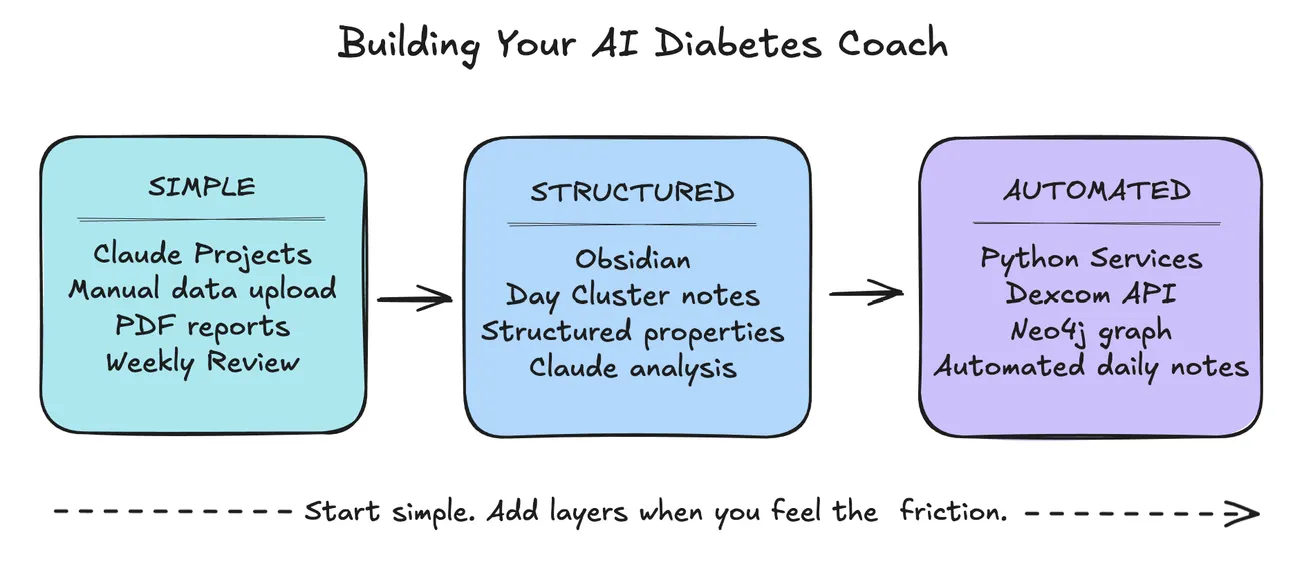
I developed a Swift app (PKM Meals) for events, recipes, meals, and meal planning. Python services, scripts, and agents build daily notes from templates. Neo4j knowledge, context, and memory graphs sync with the Obsidian vault. And Claude AI reads across all of it.
Each one has its own quiet idea of what a "Day Plan" is, or whether an "Effort" is the same thing as a project. Nothing breaks loudly. Things just drift, and six months later a script writes a note the app can't find.
I realized that I needed more:
- vocabulary: shared concept terms and definitions for "things" in my PKM system
- taxonomy: structural hierarchy and associative relationships
- schema: metadata property names, definitions, and usage
- ontology: classes, relationships, properties, rules, logic, semantics (meaning)
- knowledge graph: nodes, relationships, properties, queries, navigation, traversal
- development artifacts: Python, Swift, Neo4j, and Obsidian templates & files
What I Built Instead
So I did the boring thing. I started writing the terms down — 223 of them, each with a definition, a scope note describing context and where it actually lives, and its relationships to the terms above and below it.
Then I published the whole thing with a persistent URI namespace at a permanent web address for linked data so my tools — and anyone else — can point at a term and get a real answer about what it means:
Underneath it's SKOS (Simple Knowledge Organization System), which is the standard librarians and taxonomists use for exactly this. I use the SKOS Editor by Jessica Talisman to develop my PKM vocabulary, as well as Intentional Arrangement articles on her Substack. Her book "The Ontology Pipeline" will be published in the middle of September 2026.
You don't need to care about that part. What matters is that every term has a stable address, so "Day Cluster" means one specific documented thing and can't quietly become two.
The Part I Didn't Expect
I assumed publishing was the last step. It turned out to be the step that made me figure out something I'd been avoiding: I have three websites, and I had never decided what each one is for.
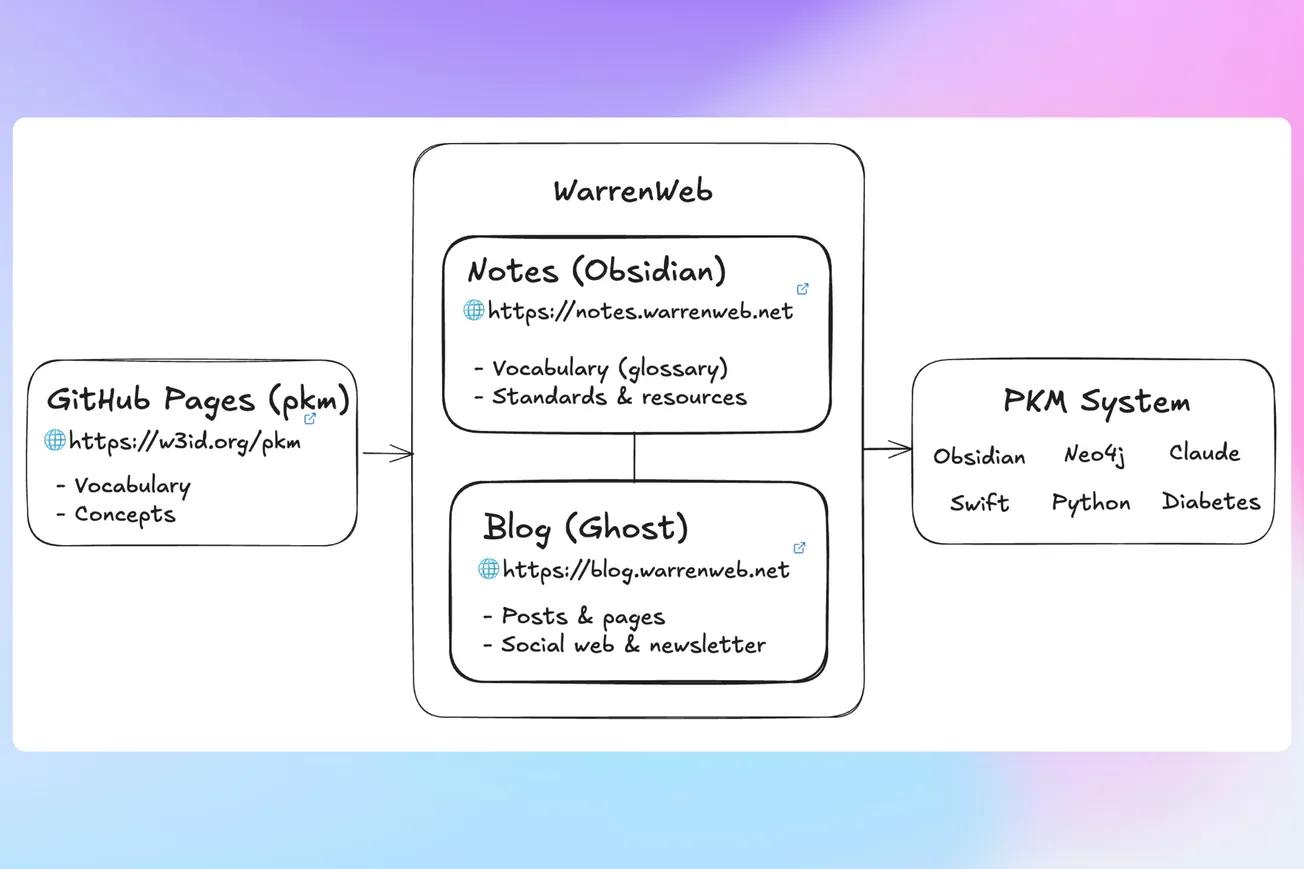
There's the vocabulary at w3id.org/pkm with permanent redirection to GitHub Pages which is served out of a GitHub repository. There's notes.warrenweb.net, my Obsidian Publish site. And there's this Ghost blog. Until last week the honest answer to "which one should this go on?" was whichever I opened first.
That's fine when you're writing prose. It stops being fine the moment the same fact could live in more than one place, because then you have two copies and no rule about which one is right. Which is the exact problem the vocabulary exists to solve, one level up. I'd built a controlled vocabulary while running an uncontrolled publishing setup.
The Rule
So here's the rule I landed on, and it's short:
Every fact has exactly one canonical home. Everywhere else is a link, or a cache you can regenerate.
Which gives each site one job:
The vocabulary repo is canonical for definitions. Machine-readable, versioned, permanent URIs. If a definition is wrong, it's wrong here and nowhere else. Retired terms stay resolvable and point at whatever replaced them, so a link published today keeps working after I change my mind.
The notes site is canonical for thinking-in-progress. Rationale, open questions, the things I'm still unsure about. No stability promise — it's a workbench, and it's allowed to be wrong in public.
The blog is canonical for narrative. Dated, has an audience, says what changed and why. Like this post.
Why the Vocabulary is on the Notes Site Too
That rule sounds like it forbids what I actually did, so: there are now 241 notes on notes.warrenweb.net, one per term, each carrying the definition and the relationships. A copy. Isn't that the thing I just said not to do?
It is a copy, and it's fine, because of the second half of the rule: it's a cache you can regenerate. Those 241 notes are generated from the published RDF Turtle by a script. make notes wipes and rewrites the whole directory. Nothing in there is hand-edited — if it were, the next run would eat it — so there's no version of the truth in there to diverge. The prose I actually care about lives one folder up, outside the blast radius.
What the cache buys is the thing a static site can't do: the vocabulary joins the link graph. When I write "Day Cluster" in a note, Obsidian offers to link it to the term. Every term shows its backlinks. That matters enormously right now, because I'm migrating a decade of notes out of other vaults, and unlinked mentions is the mechanism that turns moving notes into connecting them. A website I have to visit in another tab can't do that. A note in the same vault can.
Three Things That Went Wrong
I'd rather write these down than pretend the week was clean.
A typo lived in published data for three days. One term pointed athttps://skos.org#Concept — a namespace that doesn't exist. I'd typed skos:Concept into a field and something mangled it into a hostname. Every validation check passed, because a dead link isn't a structural error. It took reading the file by hand to find, and then three attempts to fix, because twice I corrected the wrong term without noticing. The audit log is what finally showed me: every edit I'd made had landed on a neighboring concept.
Twenty term names collided with notes I already had. App, Map, Project, Taxonomy, Health, Swift. If I'd generated those 241 notes naively, [[App]] would have become ambiguous — which is precisely the drift the vocabulary was built to prevent. They're named App (Term) now, following a convention I already used elsewhere for disambiguation and had forgotten I'd invented.
I asserted that Dublin Core terms metadata was a concept. I'd mapped my Source term to dcterms:source and four siblings using skos:relatedMatch, which sounds right and isn't — that property's domain and range are both skos:Concept, so the mapping claims dcterms:source is a concept. It's an RDF property. rdfs:seeAlso says "related" with no such claim, and that's what it should have been. I filed it as a bug against the editor I was using, and it shipped as a validation warning the next morning.
What's Still Open
Three things I'd genuinely like other people's opinions on, and they're all naming or modelling questions rather than technical ones:
- Should the time periods nest or sit side by side? Day, Week, Month, Quarter, Year, and Decade are currently siblings. A Day genuinely is part of a Week — but nesting makes the tree deep and nothing inherits anything, so the depth costs navigation and buys nothing.
- Is "Cluster" the right word for the dozen notes belonging to one day? It's the name I've changed my mind about most.
- Are Maps (MOCs) and home notes terms or techniques? A whole layer of LYT practice is not modeled (yet) because I couldn't decide, and a vocabulary is the wrong place for a technique.
The working notes are at notes.warrenweb.net/pkm/vocab — including the open questions in more detail and a changelog of what's changed since the initial version.
This is an early draft so I expect it to be wrong about things. Pick at it. That's what a version 0.1 is for.
Questions or Feedback?
I'd love to hear from you with comments on this Ghost post below (or email newsletter), Linking Your Thinking (LYT) community on Circle, Substack or LinkedIn comments, or as an issue on GitHub.
#output/post · created 2026-08-31 · modified 2026-09-02